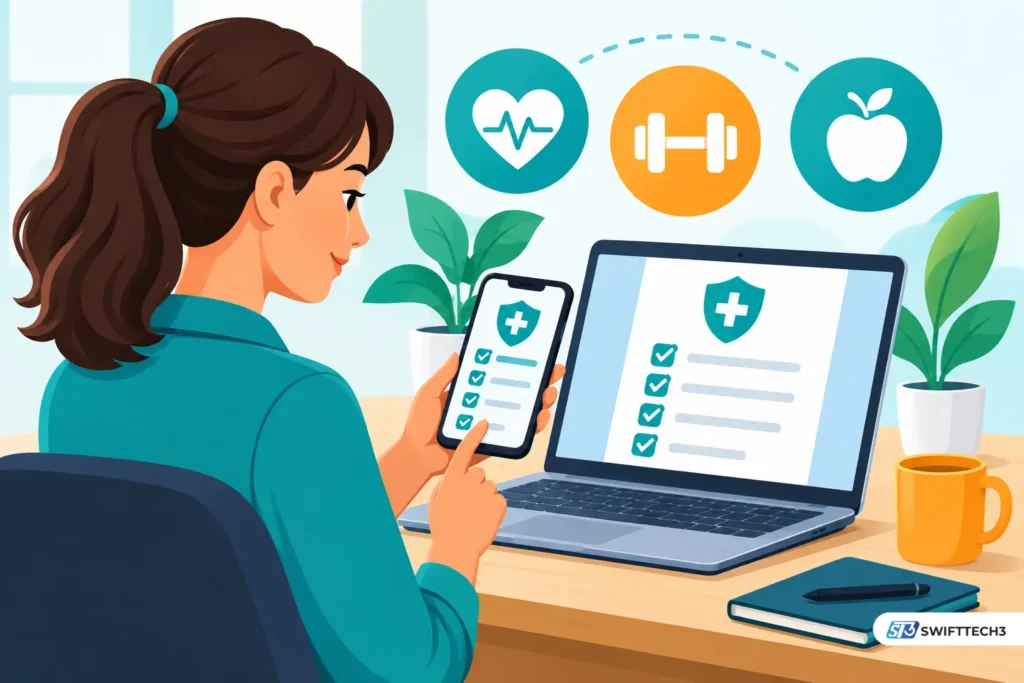
PreventionCloud is an employer-sponsored wellness portal and mobile app published by Zomo Health LLC. Participants complete health assessments, log activity, join challenges and submit preventive-care forms, and the employer decides which activities earn rewards. The app is free to download, but you usually need an account your employer sets up.
Reviewed November 2026. How this was made: see the note after the article.
Your HR team emails a deadline: finish a health assessment and a screening by June 30. You search “Prevention Cloud” and get a cloud-security explainer, a clinic login for a different company, and an app with a 2.6 rating. This guide sorts out which result is yours, what the platform does, what the rewards depend on, and what to check before you hand over health data.
Which “Prevention Cloud” are you looking for?
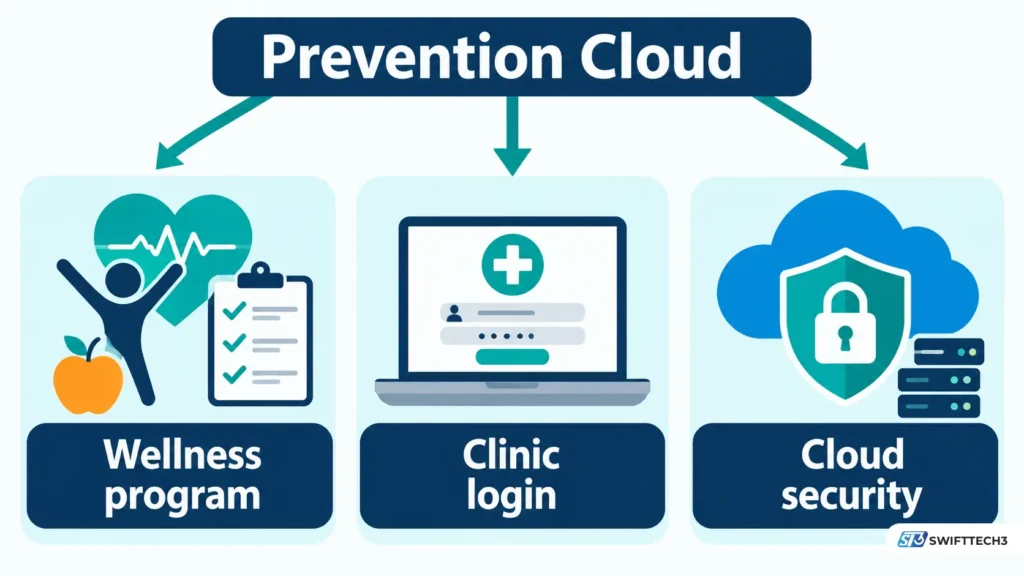
Most people searching this phrase mean PreventionCloud, the wellness platform from Zomo Health, and two other things share the name.
| What you found | What it is | Same product? |
|---|---|---|
| PreventionCloud (preventioncloud.com, app “PreventionCloud”) | Employer wellness portal and app. Apple and Google list Zomo Health as the publisher. | Yes, this article |
| “Wellness and Prevention Protocols” clinic login | A separate site whose login page is titled “Clinic System Login” and offers practitioner accounts. | No |
| “Prevention-first cloud security” | A cloud-security approach. Turbot’s Prevention Library defines it as stopping misconfigurations and risky deployments before they reach production. Check Point also publishes a paper under a similar title. | No |
“Prevention cloud” is not a standardized security product category as far as this research found. Vendors write “prevention-first cloud security” for their own frameworks. If the page you are reading mentions misconfigurations or deployments, it is about security.
What does PreventionCloud actually do?
It gives participants one place to complete the tasks in an employer’s wellness program. Which tools you see depends on how your employer configured it.
| Feature | Stated by | What to know |
|---|---|---|
| Health assessment, biometrics trackers | Apple App Store listing | The assessment is a questionnaire. Screenings usually happen with your doctor or a lab. |
| Participation tracking, visit forms | Apple listing | You upload physician forms or other proof. |
| Challenges, quizzes, events | Apple and Google Play listings | Challenges are scheduled by the employer. |
| Sleep, hydration and activity logging; height and weight | Google Play listing | The Play description says users track these habits. |
| Fitness and emotional-wellbeing videos | Google Play listing | A county’s 2024 program manual said fitness videos were not available in the mobile app and pointed users to the website. Check yours. |
| Step sync | Apple listing (“Apple Health Kit Integration”) and Google Play | Google Play says the Health Connect link is optional and read-only for step count. It says the app does not access heart rate, sleep stages or calories. |
| In-app chat | Google Play listing | The Play description describes chat support. |
Every row above is vendor-stated, taken from store listings or employer manuals.
Can you create your own PreventionCloud account?
Usually not. Accounts are normally provisioned by the employer.
A 2024 Marathon County manual says an account “has been established” from information on file with the employer. A University of Alaska notice told spouses to use their own PreventionCloud credentials. A reviewer on Google Play wrote in October 2025 that they could not log in and could not find a way to create an account.
Some employer manuals describe initial credentials built from personal details already on file, with a forced password change at first login. If yours does, change the password right away. Anyone who knows your birthday could otherwise guess the starting one.
If login fails, work through this order:
- Confirm with benefits staff that your enrollment was processed.
- Use the site’s forgot-username and password-reset links.
- Check spam folders for reset emails.
- Email support@preventioncloud.com with your employer’s name, device, app version and the exact error. Leave out health details and passwords.
Is PreventionCloud free?
The app is free to download. Apple’s US listing says “Free,” and Google Play lists no price. What the employer pays Zomo Health is not published in any source reviewed, so there is no vendor price list to quote.
For you, “free” has limits. A county manual warns that some screenings are not considered preventive and may mean out-of-pocket costs. It also says prizes may be taxable.
How do points and rewards work?
Your employer sets them, so no single number applies. Two dated examples show how much they vary.
| Program (source year) | Requirement | Reward |
|---|---|---|
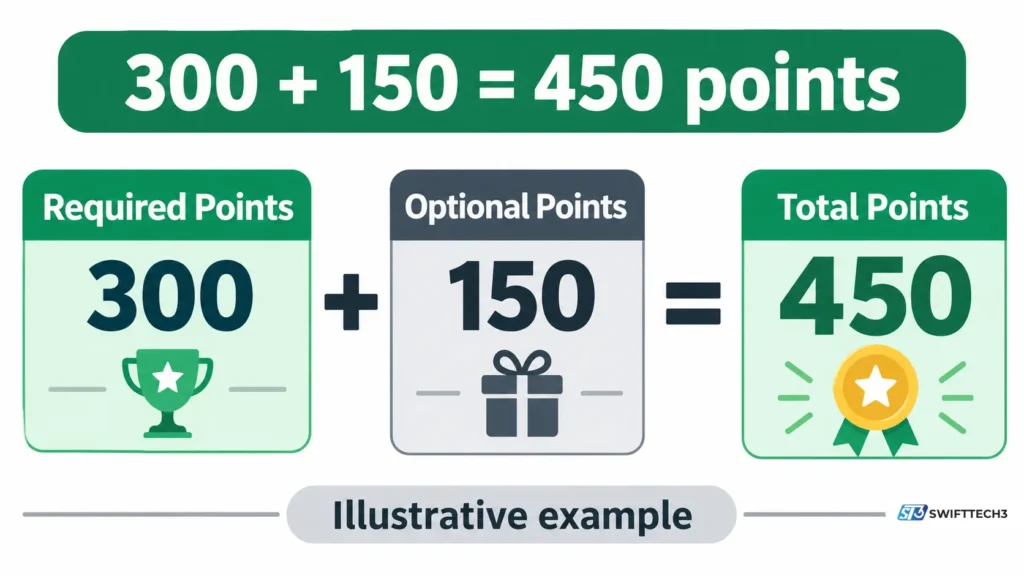
| Marathon County, 2024 manual | 450 points, including a required 300-point annual preventive exam | 5% off the 2025 health premium contribution. 1,000+ points entered a prize pool. |
| University of Alaska, 2022 notice | 7 activity points, health risk assessment, biometric screening | $600 rebate |
| University of Alaska, FY24 manual | 8 points, deadline June 30, 2024 | $600 rebate |
Cost math (illustrative). In the Marathon manual, 300 required points plus three 50-point optional items (flu shot, dental exam, vision exam) equals 450. If your premium contribution were $200 a month, a 5% discount would be $10 a month, or $120 a year. The $200 figure is an assumption for the example.
What changed recently?
| Date | Change | Source |
|---|---|---|
| Sep 2, 2026 | Version 3.2.13 and a Google Play update: faster Events, improved login and keyboard behavior, crash fixes | App Store version history, Google Play |
| Feb 6 and May 7 builds (3.2.8, 3.2.10) | Spouse registration and an Olympic challenge, then a Pledge Challenge and Emotional Well Being filtering | App Store version history |
| Oct 1, 2024 | University of Alaska began moving its wellness program to Personify Health | University of Alaska benefits notices |
| FY26 plan year | Alaska required points to be earned and reported in the Personify Health platform by June 30, 2026 | University of Alaska benefits notices |
The App Store lists the February and May builds without a year. They follow a build dated June 15, 2025, so they fall in 2026.
The Alaska row matters because older employer pages still rank. Alaska’s FY24 manual describes the PreventionCloud portal, but its current program runs on a different vendor. If a search result describes your employer’s rules, check that it is the current plan year.
Is PreventionCloud safe, and who sees your data?
The sources disagree with each other, so treat the safety question as open until your employer answers it.
- Apple’s privacy label says the developer indicated the app may handle health, fitness, precise location and photos or videos, not linked to identity. Apple notes this information has not been verified by Apple.
- Google Play’s data safety section says no data is collected and none is shared with third parties. It is also developer-declared.
- Google Play’s content rating includes “Users Interact, Shares Location.”
- Employer manuals from 2023 and 2024 say the program is HIPAA and GINA compliant and that employers receive only aggregate reports. That is a vendor and employer claim. This research found no independent audit.
- HHS says the HIPAA Privacy Rule controls how a health plan or covered provider shares your protected health information with an employer. It also says the rule does not protect employment records and generally does not govern an employer’s own actions.
The live PreventionCloud privacy policy could not be read in this session, so its contents are not summarized here. Read it yourself. Ask your employer which of your individual results it receives, which roles see them, and what happens to your records when you leave. For general background on how apps protect user data, see mobile app security and data protection.
Why won’t my steps sync, or my points show up?
Start with the likely cause in each case.
| Symptom | Likely cause | Fix |
|---|---|---|
| Steps missing or lower than your watch | Permission not granted, or the phone’s health app is not receiving watch data | Confirm the Health Connect or Apple Health link, then compare one day’s total. A 2024 county manual says the app syncs each time you open it. |
| Garmin, Fitbit or other wearable not syncing | Indirect connection | A 2021 Play review said Garmin did not sync directly. The 2024 manual routes wearables through the phone’s health app. A 2023 release note says Fitbit connection depends on your organization enabling it. |
| Form uploaded, no points | Review time | The 2024 county manual allows up to 5 business days. A 2023 manual says 3 to 5. Check the “Submitted Forms” status. |
| Challenges tab dead or error screen | App bug | Reviews from 2022 and 2023 report this. Update the app, then try the website. |
| Cannot log in | Account not provisioned, or reset emails not arriving | See the login steps above. |
Sleep and activity data from a watch is a separate question from what the employer program accepts. A guide to sleep tracking apps and wearables covers the device side, and tech gadgets for beginner runners covers step-tracking hardware.
What do app ratings tell you?
Very little about your program, but they flag what to test early. As of November 2026, Apple’s US listing shows 2.6 out of 5 from 19 ratings. Google Play shows about 3.0 from 47 reviews (3.1 in its ratings section) and 10K+ downloads. Complaints cover login, challenges and syncing. Praise covers form uploads and participation tracking. Both samples are small, and several reviews are years old.
Apple rates the app 18+. Google Play rates it 12+. Neither rating says anything about the employer program.
A five-check enrollment audit
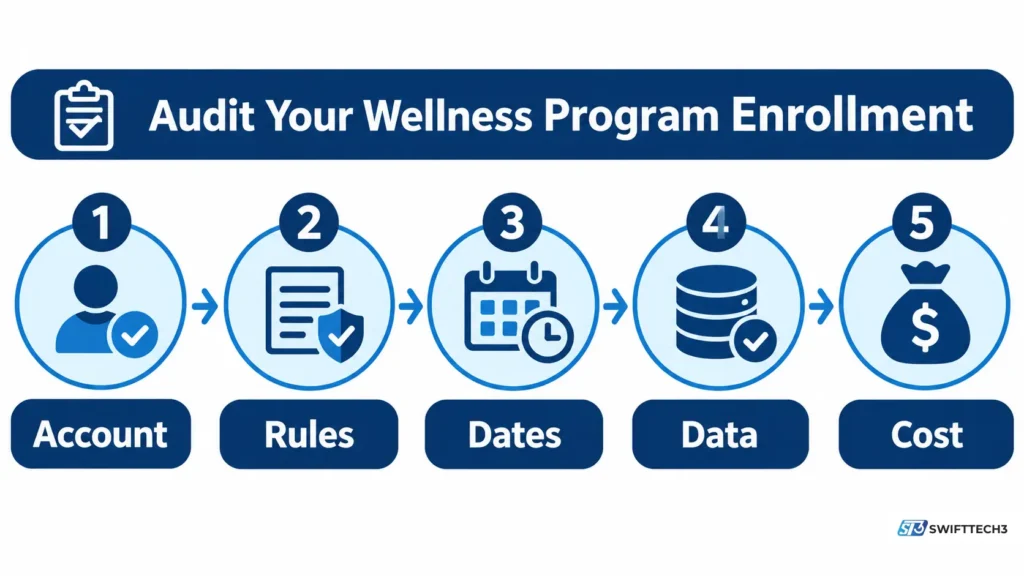
This is an original checklist built from the facts above, not an official process.
| Check | Confirm | Why |
|---|---|---|
| Account | Your enrollment is processed and your login works | Accounts are employer-provisioned. |
| Rules | Required items, point caps, current plan year | Rules change, as Alaska’s vendor switch shows. |
| Dates | Service dates versus upload deadline | A visit can count but still miss the reporting date. |
| Data | Who sees individual results versus aggregate reports | Store labels and manuals disagree or are unverified. |
| Cost | Which screenings your plan covers, and tax on prizes | Some screenings are not preventive. |
Who should use it and who should skip it
Use it if your employer or health plan enrolled you and requires it for an incentive. Skip downloading it if nobody has enrolled you, because the app is not a general fitness tracker. If you are an HR buyer, ask for a demo of enrollment, form correction, reward reporting and administrator visibility. Pricing is not public. Employers do switch platforms, and Alaska now uses Personify Health.
For the workplace side of wellness, see the guide to building a healthy and positive work environment.
Myth vs fact
| Myth | Fact |
|---|---|
| It is a cloud-security product. | The PreventionCloud app is a wellness platform. Security “prevention-first” content is a different topic. |
| Anyone can download it and join. | Programs are employer-run and accounts are usually provisioned. |
| “HIPAA compliant” means every result is hidden from everyone. | The compliance claim is vendor-stated. HHS says the Privacy Rule does not cover employment records. Ask what your employer receives. |
FAQs
What is PreventionCloud used for?
Employers use it to run wellness programs. Participants take health assessments, log activity, join challenges and submit forms, and the employer defines what earns a reward.
Who makes PreventionCloud?
Apple and Google list Zomo Health LLC as publisher and seller, with a Houston, Texas address on Google Play. Zomo’s own materials say it has operated since 2008, while business directories list PreventionCloud as founded in 2015. No source reviewed explains the ownership relationship, so the founding date is unconfirmed.
Does it work with Apple Health, Fitbit or Garmin?
Apple’s listing names Apple Health Kit integration, and Google Play describes optional Health Connect step reading. Fitbit connection depends on your organization, per a 2023 release note. Garmin has historically worked indirectly through the phone’s health app.
Can I use it on a Mac or Android phone?
Apple lists compatibility with iPhone, iPod touch, Macs with Apple M1 or later, and Apple Vision. An Android app is on Google Play.
Why are my points missing?
Check the submitted-forms status first. Manuals cite 3 to 5 business days for form approval. Then confirm the service date falls inside your program year and ask benefits staff to check your record.
Can my employer see my health results?
That depends on the program. Employer manuals say only aggregate reports go to the employer. That is a vendor and employer claim, so ask which individual records your employer receives.
How do I contact support?
Both store listings show support@preventioncloud.com. Include your employer, device and error message.
Conclusion
PreventionCloud is a tool your employer configures, so your program’s rules matter more than the app’s feature list. Key takeaways: accounts are usually employer-provisioned, rewards vary by plan year, store privacy labels disagree, and the “prevention cloud security” results are unrelated. Your next step is to open your employer’s current wellness guide and run the five-check audit before your deadline.
Related: 11 ways to build a healthy and positive work environment
Disclaimer: This article is for informational purposes only and is not medical, legal or financial advice. It is not affiliated with, sponsored by or endorsed by Zomo Health, PreventionCloud, Apple, Google or any brand mentioned. Features, prices, rewards and policies may change. Information last verified on November 7, 2026. AI output can be inaccurate, so confirm program rules and privacy terms with your employer.