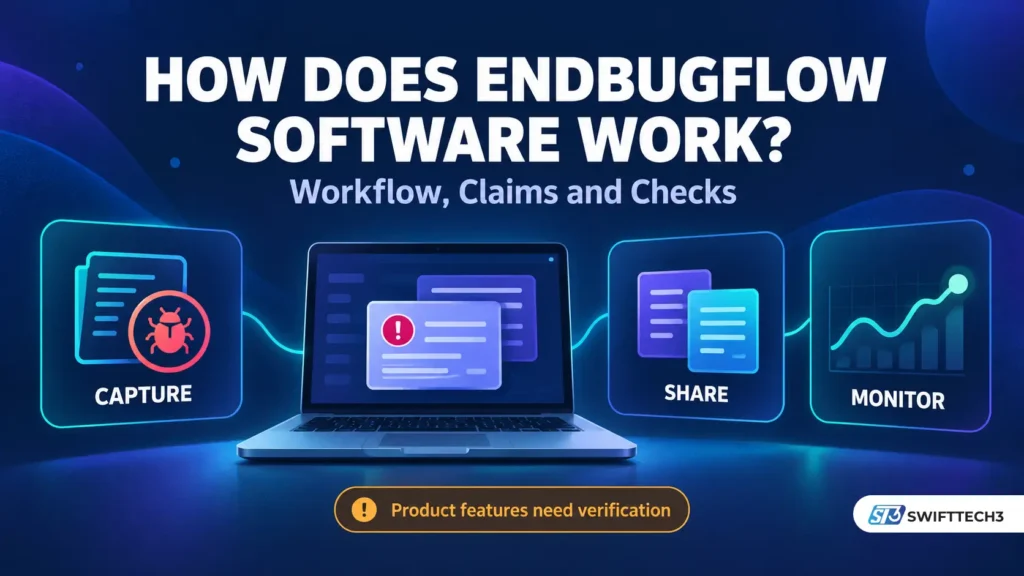
A useful debugging tool should answer a few basic questions: what broke, what happened immediately beforehand, and who needs to investigate? Search for Endbugflow and you will find descriptions of software that promises to connect those steps automatically.
The difficulty starts when you look for the details needed to put that promise into practice. A feature description can explain an appealing workflow without establishing how to install, configure or operate the product behind it.
If you are asking “how does Endbugflow software work?”, this guide separates the website’s claims from the technical steps a working debugging system would need. It also adds something more useful than another feature list: three questions about data collection and five practical tests for evaluating the workflow.
The aim is to help developers, QA testers and project managers understand the idea, recognize what remains uncertain, and make a decision based on evidence.
How Does Endbugflow Software Work? The Quick Answer
Endbugflow’s website describes software that captures application errors and technical context, shares reports with teammates, and monitors performance for unusual behavior. However, the public material reviewed does not establish a complete, reproducible product setup. Its workflow is a set of published claims, rather than independently demonstrated functionality.
No confirmed price, supported-platform list or installation procedure is presented here as fact. Those details could not be established reliably during this review.
What Is Endbugflow: Software, a Publication or Both?
Endbugflow’s homepage focuses on debugging guidance, development concepts and workflow optimization. Its Core Values page describes a knowledge platform. A separate brand-information page identifies the organization as an independent publication and information resource.
Other pages on the same website describe a debugging application. That creates an unresolved question about the relationship between its editorial content and a deployable software product.
Publishing technical advice and selling software can coexist. What matters is whether the website supplies the evidence needed to connect the two: a clearly identified publisher, product documentation, releases, account access and operating terms.
Here is the distinction supported by this review:
| Area | What the reviewed material establishes | What remains unconfirmed |
|---|---|---|
| Technical publishing | The site publishes debugging and workflow articles | Whether its articles document a maintained product |
| Error collection | A product article describes automatic capture | Installation method, coverage and configuration |
| Team integrations | Jira, Slack and GitHub are named | Working connectors and their setup requirements |
| Performance monitoring | Monitoring and anomaly detection are described | Measurement methods, limitations and evaluation results |
| Downloads and pricing | Installation guidance exists | A verified release path and current commercial terms |
These gaps do not prove that software cannot exist. They limit what can responsibly be claimed about it.
For a related example of checking whether a product guide has evidence behind it, see our article on spotting fabricated guide-style SEO content.
How the Claimed Endbugflow Workflow Would Operate
The website’s explanation centers on capture, collaboration and monitoring. The following stages unpack that idea using standard debugging concepts. Technical details beyond the published claims are explanations of how this category of software can work, rather than confirmed Endbugflow implementation details.
1. Capture an Error and Its Surrounding Context
Endbugflow’s product explanation says it collects console output, stack traces, network activity, user interactions and environment details.
In a working error-monitoring system, that information helps turn “the page failed” into an investigable event. A useful report might identify the browser, application release, failed request and sequence of actions preceding the failure.
Collection depends on access to those events. An SDK, browser extension, runtime agent or existing monitoring integration can provide that access. Different methods have different limits; a desktop application alone should not be assumed to observe every application or service.
2. Connect the Evidence to the Right Application Release
A timestamp becomes more useful when it is associated with a deployment, environment and affected route. A developer needs to know whether an error came from yesterday’s production build or a test version running locally.
For JavaScript applications, a minified stack trace may need matching source maps to point back to readable source code. Sentry documents this process explicitly. Endbugflow’s public descriptions reviewed here do not establish an equivalent build-integration procedure.
That is an important practical distinction: collecting an error and making it understandable are separate jobs.
3. Prioritize the Problem and Establish Ownership
The site’s broader software article describes prioritization based on impact. For any debugging workflow, the useful question is whether an issue prevents a critical task, affects many users or belongs to a recent release.
A checkout failure may deserve attention before a cosmetic alignment problem. However, an automated priority score needs explainable rules and a way for the team to correct it.
Ownership also needs care. The author of a recent commit is a useful starting point for investigation, but a correlation with that commit does not establish the root cause.
4. Share a Report With the Team
Endbugflow describes shareable reports and connections to Jira, Slack and GitHub. The intended benefit is less copying of screenshots, error messages and reproduction steps between tools.
An integration still needs a documented connection method. Depending on the service, that might involve an installed app, an API token, OAuth authorization or a webhook. Requirements vary; a mention of a service name does not establish which permissions are requested.
GitHub’s own guidance recommends selecting the minimum permissions a GitHub App requires. A debugging pilot should therefore begin with access limited to the test repository and functions being evaluated.
For broader context on automated handoffs and human review, our AI engineering and workflow automation guide explores those design choices.
5. Monitor Behavior and Verify the Fix
The website also describes watching performance and flagging deviations. In a real monitoring setup, the team needs to define the metric, expected behavior and alert conditions.
An increase in response time might indicate a regression, heavier traffic or a slow dependency. An alert provides a reason to investigate; it does not establish which explanation is correct.
After a developer changes the code, verification still matters. Repeat the failing scenario, run relevant regression checks, and observe the corrected release. Public descriptions of automation do not establish safe, autonomous code repair.
Our software testing basics guide explains how different testing levels support that verification.
The Missing Detail: Three Questions Behind Every Feature
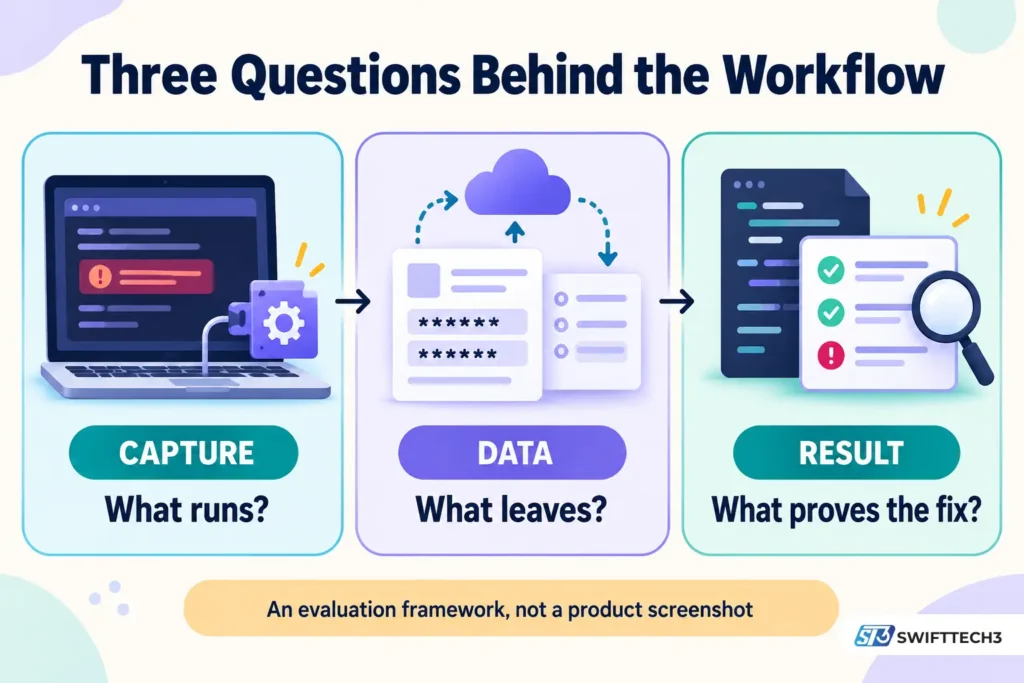
A useful way to assess Endbugflow software is to follow the information from the application to the report, then to the decision a developer makes. Three questions expose whether the workflow has enough substance to evaluate.
What Runs Inside or Alongside the Application?
OpenTelemetry distinguishes between code-based instrumentation and zero-code instrumentation. Some telemetry can be collected without changing application source code, through agents or automatically injected instrumentation.
That corrects an overly simple assumption: automatic monitoring does not always require a developer to add SDK calls manually. It still requires a collection mechanism and access to the relevant environment.
For Endbugflow, ask for the exact package, agent, extension or integration that performs collection. Also ask what it cannot observe. Browser events, server failures and database activity may need different instrumentation or connected data sources.
What Information Leaves the Application?
An HTTP request’s method, status code and duration are different from its complete body. Recording a failed request does not necessarily mean recording the customer information submitted with it.
This distinction deserves particular attention because the Endbugflow article describes extensive network capture. Its website privacy policy, meanwhile, mainly discusses comments, uploaded media, cookies and registered users. That policy alone does not establish how an application-monitoring service would handle captured telemetry.
The gap to resolve is specific: what is collected, what is removed before transmission, where it is stored, who can access it, and how long it remains available?
OWASP’s logging guidance advises excluding or appropriately protecting credentials, access tokens and sensitive personal information. Sentry’s Session Replay documentation provides a concrete example of client-side protection: text masking and media blocking are enabled by default.
Those are examples of documented controls, not evidence that Endbugflow offers the same settings. Teams evaluating its claimed capture features would need equivalent answers.
For a wider discussion of permissions and vendor access, see our guide to cybersecurity in project management.
What Evidence Shows That the Diagnosis or Fix Is Correct?
A session replay may help explain what appeared on screen, but replaying recorded activity is different from reproducing a failure under controlled conditions.
Likewise, a report naming a slow request does not prove why it was slow. The strongest evidence connects the observed failure to a reproducible scenario, a tested correction and the release containing that correction.
This is the standard to apply to any claim about automatic root-cause analysis: can another developer follow the evidence and reach the same conclusion?
A Practical Example: Investigating a Broken Checkout
Consider a fictional online shop where some mobile users cannot complete a purchase. This example illustrates an evaluation scenario; it is not a documented Endbugflow customer result.
The initial report says, “Pay button does nothing.” Useful debugging evidence would make that report more specific:
| Report field | Illustrative value |
|---|---|
| Environment | Staging checkout, application release 2.4.1 |
| Reproduction steps | Add an item, open checkout, submit the test payment form |
| Observed failure | The payment request returns an error and the button remains disabled |
| Expected behavior | A recoverable error message appears and the user can retry |
| Correlation data | Timestamp and request identifier matching the server log |
A developer can then investigate whether the failure starts in the interface, API or payment dependency. The team reproduces it using test data, implements a correction and repeats the original steps.
The final check includes confirming that the button recovers after an error and that successful payments still work. Monitoring then helps the team watch for recurrence in the corrected release.
That is the potential value of a connected debugging workflow: a better path from an incomplete report to a tested change. It still depends on the quality of the collected evidence and the team’s verification process.
Five Practical Tests Before Adopting Endbugflow
Once a publisher supplies a verifiable product and setup instructions, use a small staging project to evaluate it. The following is a proposed assessment method, not a test result or a claim about available Endbugflow features.
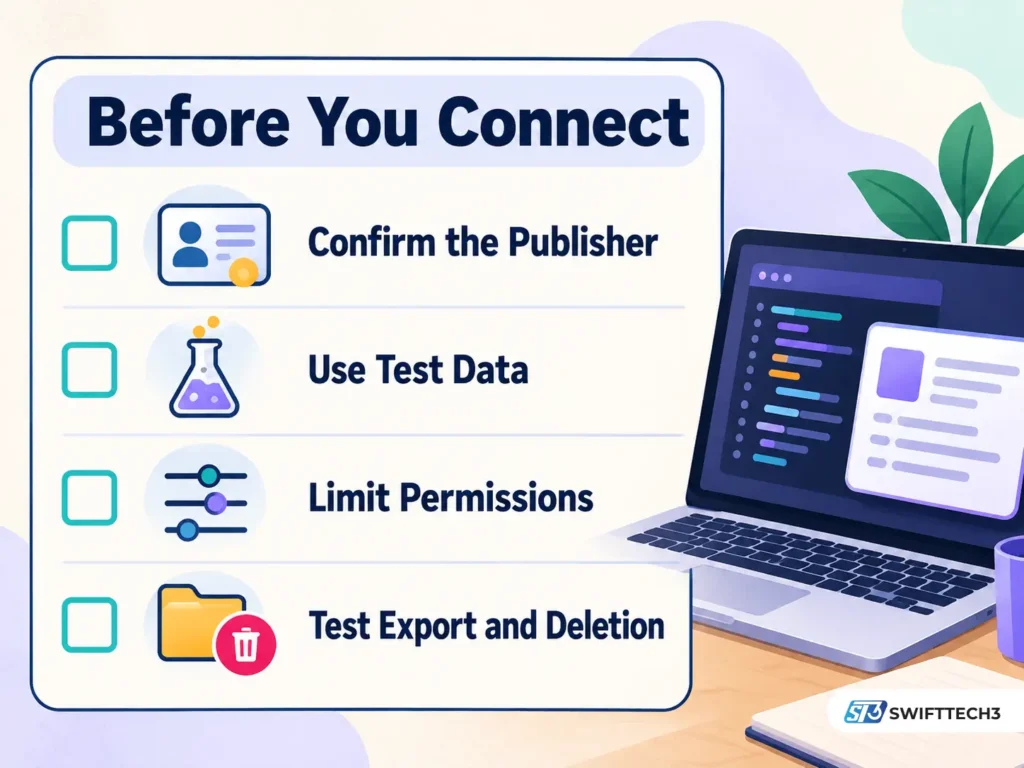
| Test | What to do | Evidence to request or inspect |
|---|---|---|
| Capture | Trigger a known application error | Correct error, timestamp, environment and release |
| Context | Run a short sequence ending in a controlled request failure | A coherent timeline linking actions to the failure |
| Privacy | Enter a distinctive fake sensitive value | The value is excluded or masked in transmitted data and reports |
| Permissions | Connect one disposable repository and later revoke access | Documented scopes and failure of fresh access after revocation |
| Exit | Export reports and request deletion | A usable export, deletion behavior and stated backup-retention limits |
For the privacy test, use an unmistakably artificial value such as TEST_SECRET_DO_NOT_COLLECT_001. Never use a real password or API key. Hiding a value in the dashboard is insufficient if the unmasked value was already transmitted or remains available in exports.
Revoking access and deleting data are also different tests. Revocation should stop new authorized access; it does not automatically remove information previously copied elsewhere. Backup deletion may follow a separate retention schedule that the publisher needs to explain.
Measure a Specific Improvement
Choose a narrow outcome such as time to reproduce a known defect. Record a baseline, use comparable scenarios, and include configuration and maintenance effort in the assessment.
For example, reducing reproduction time from 20 minutes to 12 minutes is a 40% reduction for that measured task. It does not establish a 40% improvement across an entire engineering team. This is a calculation example, not an Endbugflow benchmark.
For production impact, our article on app performance metrics that affect user retention discusses measures such as crash-free sessions, network reliability and core-flow completion.
Personal Experience: What My Research Actually Showed
My firsthand work for this article was a review of public pages and their linked destinations. I did not install an Endbugflow application, connect a private repository or measure its performance.
The most useful step was following the installation article’s supposed repository link. It opened a GitHub profile using the name EndBug, rather than a specific Endbugflow release repository. A similarly named account does not establish product ownership or identify the correct installer.
I also compared the installation instructions within the same article. One section specified macOS 11 or later, while another listed macOS 10.14 or later. That prevented me from treating either minimum requirement as confirmed.
Reading the privacy policy changed the evaluation again. Website-comment information did not answer the questions raised by application logs and network capture.
The lesson was practical: following links and checking consistency produced more useful information than collecting additional feature descriptions. Those observations explain why this guide distinguishes published claims from demonstrated behavior.
Potential Benefits and Common Mistakes
A well-implemented workflow of this kind can reduce repeated requests for missing details, clarify ownership and make retesting easier. Preserving evidence from the original failure is particularly useful when an issue occurs only under a specific combination of browser, release and user action.
These are potential benefits of the workflow, rather than measured Endbugflow outcomes.
Common mistakes include:
- Treating repeated claims as independent confirmation. Several articles can repeat the same unsupported description.
- Assuming detection includes repair. Capturing an exception does not establish a correct code change.
- Connecting production accounts during an initial trial. A disposable project is enough to test basic behavior.
- Accepting broad data capture without checking redaction. More recorded information can create additional exposure.
- Closing a ticket immediately after a patch. The original scenario still needs verification.
- Ignoring the exit process. Export, deletion and access revocation belong in the initial evaluation.
No reliable Endbugflow speed-improvement percentage was established in this review. A performance claim needs a defined task, baseline, sample and measurement method before it is useful for planning.
Which Documented Tool Category Fits Your Actual Need?
Before comparing products, identify the part of the workflow causing difficulty. Collecting runtime failures, managing assignments and running tests are related tasks with different requirements.
| Need | Documented example | Role in the workflow |
|---|---|---|
| Application errors and diagnostic context | Sentry | Error investigation and monitoring |
| Team ownership and issue status | Atlassian Jira | Configurable issue workflows |
| Bug discussions alongside repository work | GitHub Issues | Tracking reports, tasks and related development work |
| Emitting application telemetry | OpenTelemetry | Instrumentation for signals such as traces, metrics and logs |
OpenTelemetry is an instrumentation framework, so teams still need somewhere to analyze and act on its output. Similarly, an issue tracker does not automatically collect every runtime failure.
The goal is to address the missing capability in your existing process. A clear bug-report template and consistent retesting may solve a workflow problem before additional software is necessary.
Frequently Asked Questions
1. How does Endbugflow software work?
Its website describes collecting errors with technical context, sharing reports and monitoring application behavior. The public material reviewed does not provide enough implementation detail to independently confirm a complete working setup.
2. Is Endbugflow a real software product or a website?
The website and its technical articles are observable. A separately verifiable software product, with a clear release path and operational documentation, was not established in this review. That leaves product availability unresolved.
3. Does Endbugflow fix bugs automatically?
Automatic bug repair was not demonstrated by the reviewed material. Teams should distinguish collecting evidence, suggesting a diagnosis, changing code and deploying a verified correction. Each requires separate evaluation.
4. Does Endbugflow work with Jira, Slack and GitHub?
The website names those services, but that does not confirm functioning integrations. Setup instructions, app identity, required permissions and supported behavior need verification before accounts are connected.
5. Is Endbugflow software free?
A confirmed public pricing or licensing arrangement was not established. Do not assume that missing pricing means the product is free or open source.
6. Can I install Endbugflow on Windows or Mac?
The website describes desktop installation, but the reviewed guidance did not establish a dependable release path and contained conflicting macOS requirements. Obtain an identifiable publisher, current release and confirmed requirements before proceeding.
7. Is Endbugflow safe to use with private code?
Its suitability for private code or customer data could not be established from the reviewed pages. Evaluate access scopes, data collection, redaction, retention and deletion using a test project before considering sensitive material.
8. How can I tell whether a debugging tool improves my workflow?
Use comparable defects and measure a specific outcome, such as time to reproduce, investigation effort or recurrence after release. Include setup effort and check that improved reporting has not introduced excessive noise or unnecessary data collection.
Conclusion: Judge the Workflow by Its Evidence
So, how does Endbugflow software work? The website describes a connected debugging workflow, while the public evidence reviewed leaves important implementation and product details unresolved.
The useful next step is to establish what performs collection, what data leaves the application and what proves that a fix works. A verifiable publisher and reproducible setup should come before a trial. Capture, privacy, permissions and exit tests should come before production adoption.
Meanwhile, teams can apply the underlying lessons immediately: write clearer reports, connect failures to releases, assign ownership and retest the original scenario. Those habits make any debugging workflow easier to assess.
Disclaimer: This article reflects public material reviewed on October 25, 2026. It is a research review, not a hands-on product benchmark or security audit. Product information may change. The illustrative scenario and proposed tests are not evidence of Endbugflow’s capabilities, and unresolved documentation does not by itself establish fraud or malware.