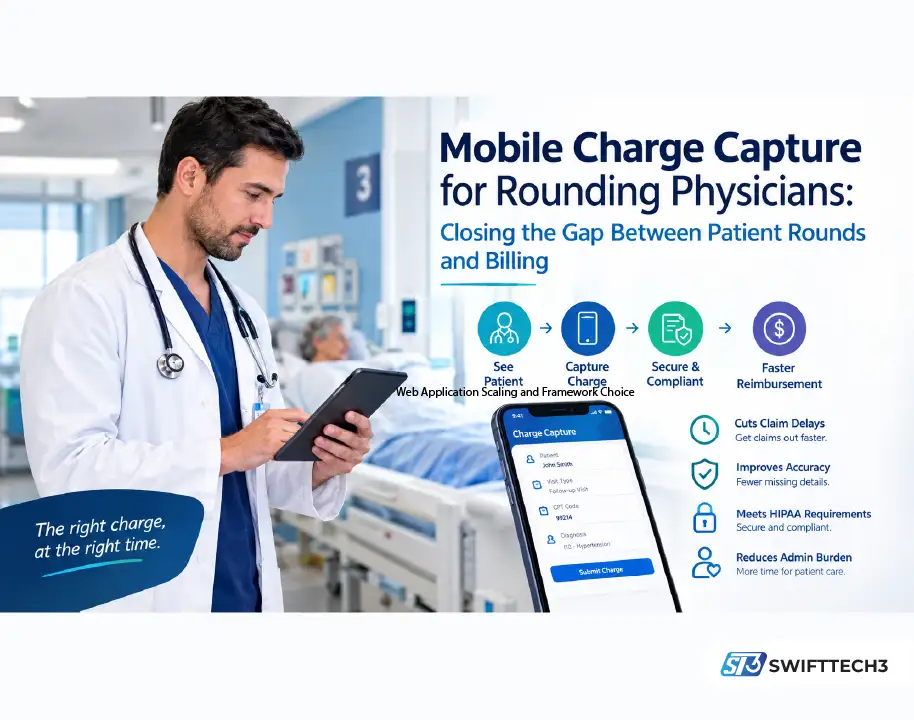
Physicians who round across several facilities lose hours each week to paperwork that trails behind the patients already seen. The fix is capturing the charge at the point of care, from a phone or tablet, minutes after the visit instead of days later. Mobile charge capture for physicians moves documentation closer to the encounter, so coders see fresh details and claims go out faster.
Why does billing lag behind patient rounds?
Hospital-based providers often finish a shift, drive to the next building, and only later enter charges from memory or handwritten notes. The lag runs from same-day to several days, longer in busy weeks. Billing teams then chase missing details while claims sit unsubmitted. The results are slower reimbursement, more denials, and physicians entering data in the evening.
Hospitalist and post-acute settings make it worse. One physician may see patients across several units or buildings in a day. Paper logs get misplaced, notes get abbreviated in ways nobody can reconstruct, and coding errors creep in when details come from memory. Administrators often notice only when a revenue cycle report shows unexplained gaps between encounters and submitted claims. Across dozens of patients a week, small errors add up to real revenue loss over a quarter.
Documentation quality is also a compliance issue. According to a 2026 summary of CMS’s improper-payment data, insufficient documentation was the leading driver of nearly $29 billion in Medicare fee-for-service improper payments in fiscal 2025. Verify the figure against CMS’s own report before citing it. A charge entered days later, from memory, is exactly the kind of record that is hard to defend in an audit.
Personal Experience: Where the time actually goes
The real cost of delayed charge entry isn’t the five minutes per patient. It’s the reconstruction. A physician who sees twenty patients across three buildings and enters charges that night is trying to recall which visits were initial versus subsequent and what was actually done. The details that change a code are the ones that fade first.
Groups that make the switch commonly report that the software matters less than the habit. Charges get submitted before the physician walks to the next room. Administrators who pair the rollout with a clear turnaround expectation and a short weekly check-in catch confusion in the first month instead of the third. The first weeks feel like extra work. After that, the evening data entry disappears.
How does mobile charge capture close the gap?
The physician documents the visit and submits charge information from a phone or tablet right after seeing the patient. Charges reach the billing system in near real time, and coding staff can review them while the encounter is still fresh. Claims can go out within days instead of weeks, which speeds payment and reduces denials tied to missing detail.
A newer layer is AI assistance. Many vendors now pair charge capture with ambient documentation or coding suggestions that flag likely codes from the visit note. These tools can reduce clicks, but they don’t replace physician judgment. Treat suggested codes as drafts to review, and ask any vendor how it validates accuracy. The broader shift toward AI in clinical workflows is covered in this look at digital pathology and AI in medical labs.
| Paper or memory-based | End-of-day EHR entry | Mobile point-of-care capture | |
|---|---|---|---|
| When charges are entered | Days later | Hours later | Minutes after the visit |
| Risk of missed or wrong details | High | Moderate | Lower |
| Audit trail and timestamps | Weak | Adequate | Strong |
| Physician evening workload | Heavy | Moderate | Light |
| Depends on habit change | No | Some | Yes |
What about security and HIPAA?
Any tool that handles patient information carries legal obligations, and that includes a phone app. Be precise about what applies. The current HIPAA Security Rule remains the law in force. HHS proposed a major update in a December 2024 notice, which would make measures such as multi-factor authentication and encryption of patient data mandatory. As of mid-2026 it is not final, and the federal regulatory agenda now targets July 2027.
Waiting for the final rule is still poor practice. Confirm before buying that the vendor encrypts data in transit and at rest, supports multi-factor login, signs a business associate agreement, and keeps audit logs. The HHS HIPAA guidance is the place to check current requirements. For the wider picture on protecting sensitive data in mobile apps, see this piece on AI’s role in mobile app security. Vendor risk deserves its own review, and this SaaS security risk guide covers what to ask.
Building the habit, not just buying software
Adopting this workflow retrains habits as much as it installs an app. Physicians used to end-of-day paperwork need a few weeks to capture charges immediately. Set turnaround expectations, check in periodically, and treat the rollout as habit-building.
Reducing administrative burden also supports clinician well-being. Occupational health material from NIOSH, part of the CDC health and wellness resources, addresses health worker burnout. Less time on paperwork leaves more attention for care decisions, though no software fixes burnout alone.
What should you look for in a mobile charge capture tool?
- EHR integration. A tool that forces duplicate entry defeats its own purpose.
- Offline mode. Wi-Fi and cellular signals drop in some wings and basement units, and charges should queue until the device reconnects.
- Specialty support. Subspecialists and group practices with varied coding needs shouldn’t be forced into one template.
- Pricing structure. Ask whether cost scales with practice size or patient volume, or is a flat fee.
- Reference calls. Talk to similarly sized practices about daily use, not a sales demo.
- Security proof. Ask for encryption, MFA, and BAA terms in writing.
- Reporting. Dashboards should show charge lag by physician, so problems surface early.
For teams already testing AI tooling elsewhere in the practice, this roundup of AI productivity tools gives useful context.
FAQ
What is mobile charge capture?
It lets physicians record billable services from a phone or tablet right after a patient encounter, instead of entering them later at a workstation.
Does mobile charge capture reduce claim denials?
It can, mainly by improving detail and timing. Charges entered while the visit is fresh are less likely to have missing or mismatched information, though results depend on coding practices and payer rules.
Is it HIPAA compliant?
It can be, if the vendor provides encryption, access controls, audit logs, and a business associate agreement. Compliance depends on the specific product and how your practice configures it.
Is multi-factor authentication required by HIPAA today?
Not explicitly. The current Security Rule doesn’t name it, though HHS has proposed making it mandatory. That proposal isn’t final, and enabling it now is still wise.
Will it work in areas with poor signal?
Only if the tool has offline functionality. Ask vendors whether charges queue locally and sync when connectivity returns.
How long does the transition take?
Most physicians need a few weeks to build the habit of immediate capture. Clear expectations and early check-ins shorten that period.
Takeaway
Before choosing a tool, test one thing: have a physician capture a real charge on a phone in the worst-signal corner of your hospital, then confirm it reaches billing and shows a timestamp and audit trail. That single check reveals integration, offline handling, and security better than any sales demo.