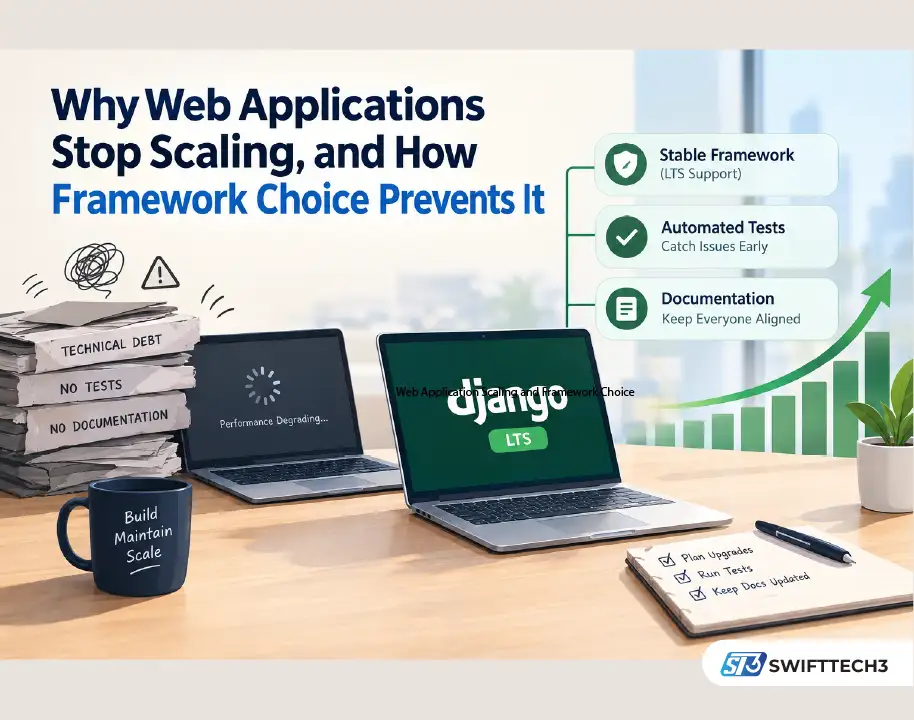
Growing web applications usually stall because of accumulated technical debt, not a flawed business idea. The typical causes are a framework picked for one developer’s comfort, no automated tests, and no documentation. The fix is unglamorous: a mature, convention-driven framework on a supported release, automated tests and deploys, and written records of how the system works.
Why do growing web applications slow down?
The pattern is familiar. A team picks whatever framework one developer already knows, without weighing long-term maintenance costs or how many other engineers can work in it. Within a year or two, pages slow down, bugs multiply, and features that once shipped in days take weeks. The owner ends up paying for firefighting instead of improvement.
It gets worse when the original developer leaves and nothing explains how the system works. Replacements spend weeks reverse-engineering logic. Security patches slip because nobody wants to touch code they don’t understand. Companies without dedicated IT staff feel this most, since one outage can stall sales or support for days. Practical IT support and managed services can soften that risk, but they can’t fix a codebase no one understands.
Retailers, healthcare providers, and logistics firms all describe the same thing: software built for a smaller scale starts buckling under real demand. Staff fall back on spreadsheets and manual workarounds, which erodes the efficiency the original investment was meant to buy.
How does a mature framework reduce technical debt?
Convention-driven frameworks cut down the guesswork that lets projects drift. Businesses that hire a Django development company get a shared rulebook: standard project layout, a built-in admin, an ORM, and authentication tools. New developers onboard faster because the code looks the way they expect.
Support windows matter as much as features. According to the Django project’s supported-versions policy, Django 5.2 LTS receives security updates through April 2028. Django 6.0 is a standard release with a much shorter life, ending in April 2027. The next LTS, 6.2, is expected in April 2027. Teams running a long-lived business system usually anchor to an LTS release and schedule upgrades deliberately, rather than chasing every new version. Running an unsupported version means known vulnerabilities stay unpatched.
Personal Experience: Where the slowdown actually starts
In my experience, the first year rarely shows any trouble. The trouble starts in year two, when a fix in one module quietly breaks another and nobody can say why. The tell is a team that stops upgrading dependencies because “last time it broke everything.” That is usually the moment an app slips off a supported framework version and starts collecting unpatched security issues.
Three habits reversed it. We pinned the project to an LTS release and put upgrades on the calendar. We added a test for every bug we fixed, so the same bug couldn’t return unnoticed. And we wrote a short runbook covering deployment, environment variables, and who to call. None of it was exotic. The fixes cost days, while the neglect had cost months.
AI coding assistants add a newer wrinkle. They speed up delivery, but they also produce code nobody on the team fully read. Treat generated code like a junior developer’s pull request: review it, test it, document it. The trade-offs are covered in this look at vibe coding website builders, and AI-assisted tooling in delivery workflows more broadly in AI in project management.
What should you look for in a development partner?
Some signals predict long-term success better than a portfolio of screenshots:
| Signal | Why it matters | What to ask |
|---|---|---|
| Multi-year maintenance record | Shows they understand software under real use | Which apps have you supported for 3+ years? |
| Post-launch references | Reveals how they behave after delivery | Can I speak to a client six months after launch? |
| Testing and docs in the quote | Planning for maintainability, not treating it as optional | Are tests and documentation priced in? |
| Upgrade policy | Keeps you on supported versions | How do you schedule framework upgrades? |
| Candid reporting | Builds trust over time | Will you share uptime and error rates, including bad months? |
Reporting habits deserve extra attention. Public agencies show what consistent monitoring looks like: the CDC health and wellness resources publish surveillance data on a regular schedule so problems surface early. A vendor that reports uptime, error rates, and security audits with the same regularity, including the unflattering numbers, is usually worth trusting with a growing platform.
Communication counts too. A good partner explains decisions in plain language and welcomes questions about trade-offs. Clear communication during planning tends to predict clear communication during an outage. For smaller companies weighing whether to hire in-house or externally, this overview of managed service providers and small business scalability covers the trade-offs.
Common mistakes to avoid
- Choosing a framework because one developer likes it
- Skipping automated tests to hit an early deadline
- Storing deployment steps in one person’s head
- Postponing security patches and framework upgrades
- Accepting AI-generated code without review
- Ignoring how many engineers in your market actually know the stack
FAQ
Why do custom web applications fail to scale?
Usually because of technical debt: an unsuitable framework, missing tests, and no documentation. The business idea is rarely the cause.
Is Django good for scaling a business application?
It’s a mature, convention-driven framework with a predictable release schedule. Scaling still depends on architecture, caching, and database design, not the framework alone.
Which Django version should a production app use?
Most teams pick an LTS release. Django 5.2 LTS is supported through April 2028, and 6.2 is expected as the next LTS in April 2027.
What happens if my app runs an unsupported framework version?
It stops receiving security patches, so newly discovered vulnerabilities stay open until you upgrade.
How much documentation does a small application need?
At minimum, a runbook covering setup, deployment, environment configuration, and key contacts, plus comments explaining non-obvious business logic.
Does AI-generated code increase technical debt?
It can if it ships without review and tests. Reviewed, tested, and documented AI output is manageable. Unread output isn’t.
Takeaway
Before signing with any developer, ask three questions: which supported framework version will you build on, how will upgrades be scheduled, and can I watch the test suite run? The answers show whether you’re buying software that lasts or a future rewrite.